AI toolkit for
your spreadsheets
Join tables, schedule automatic joins, find duplicates, and get instant AI insights — works with Google Sheets and uploaded CSV / Excel files.
Add to Chrome — Free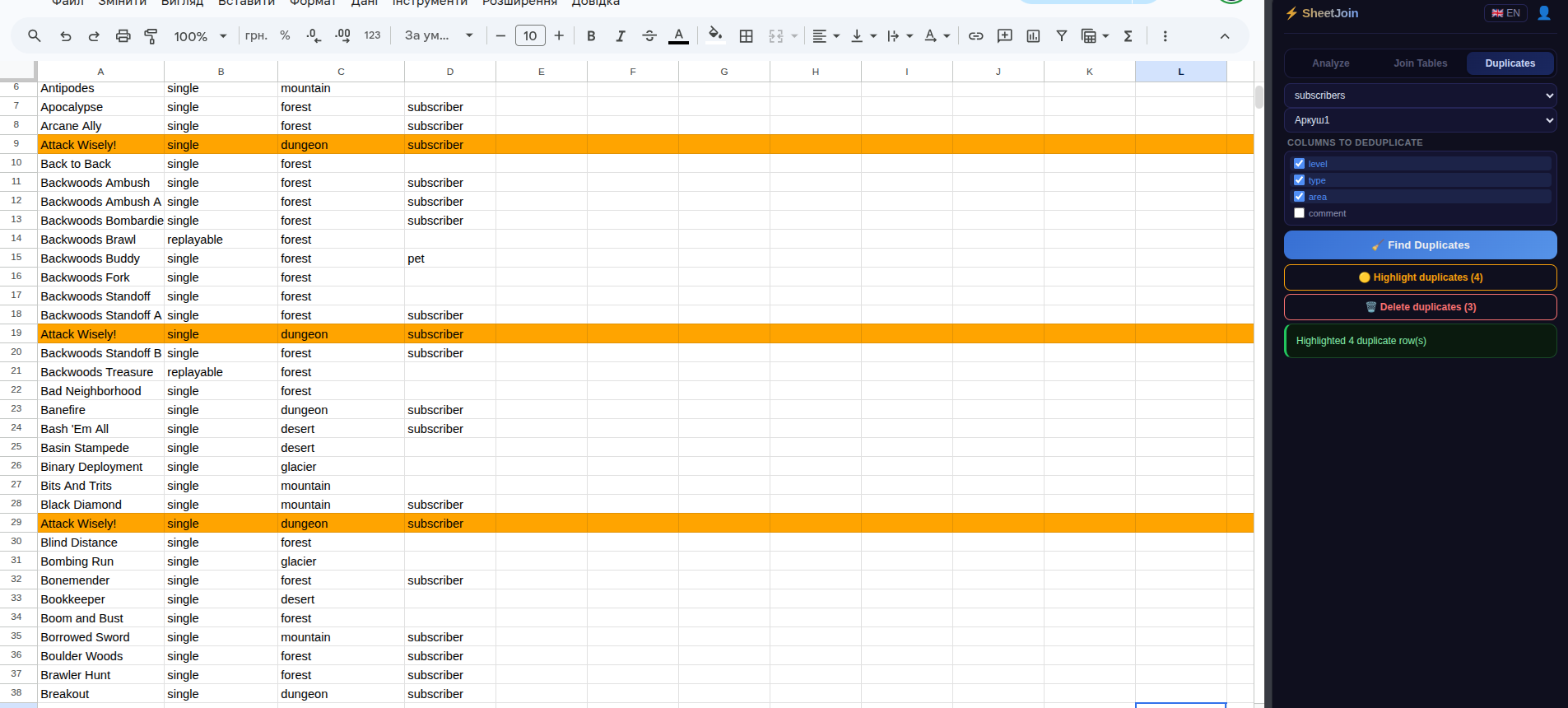
Features
AI Analysis
Key insights, trends and patterns from your spreadsheet data in seconds.
Anomaly Detection
Automatically finds unusual values and outliers that stand out from historical data.
AI Reports
Generates a full executive summary with conclusions and recommendations.
Join Tables
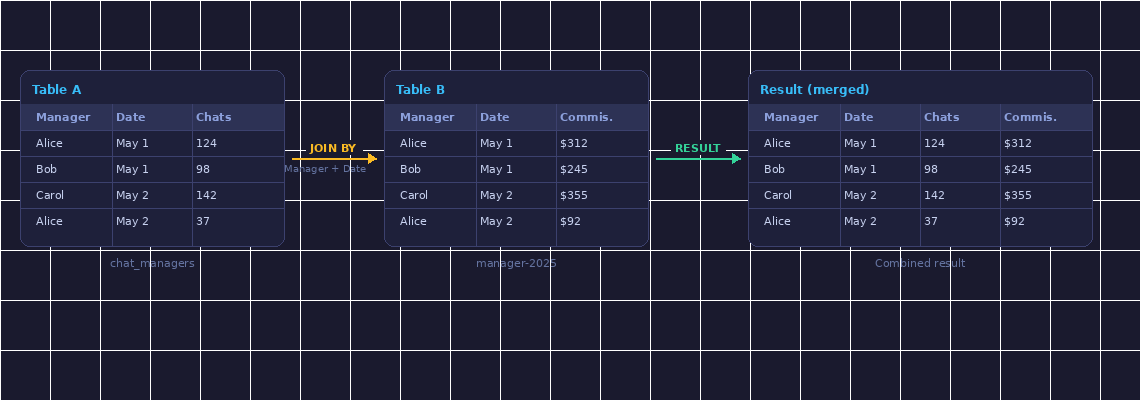
Merge two spreadsheets by matching key columns — like SQL JOIN, no code needed.
Find Duplicates
Detect, highlight, or delete duplicate rows with one click. Choose which columns to check.
CSV & Excel Upload
No Google Sheets? Upload .csv, .xlsx, or .xls files directly — get results as a downloadable CSV.
9 Languages
English, Ukrainian, German, French, Spanish, Polish, Portuguese, Italian, Russian.
How Join Tables works
Two separate sheets merge into one combined result — matched by key columns
How it works
Open any Google Sheet — or upload a CSV / Excel file — and click the SheetJoin icon in your browser toolbar.
Choose a feature: Analyze, Join Tables, or Find Duplicates.
Click Run — results appear directly in your spreadsheet within seconds.
Simple pricing
- 5 analyses / day
- 5 joins / day
- Scheduled joins (daily / weekly / monthly)
- 50 analyses / day
- 500 joins / day
- Scheduled joins (daily / weekly / monthly)
- Dedup included
- CSV / Excel upload
- Priority queue
Ready to save hours in Google Sheets?
Free to install. No credit card required.
Add to Chrome — FreeGet notified when we launch
Leave your email — we'll send you a link the moment SheetJoin is live on Chrome Web Store.
Contact us
Questions, feedback or bug reports — we reply within 24h.
Frequently Asked Questions
What is SheetJoin?
SheetJoin is a free Chrome extension that lets you join tables, find duplicates, schedule automatic joins, and run AI analysis directly on your Google Sheets — without formulas or exports.
How does joining tables work?
You select two Google Sheets (or upload CSV/Excel files), choose the key columns to match on — like SQL JOIN — and pick which columns to include in the result. SheetJoin writes the merged table directly to an output sheet.
What are Scheduled Joins?
Scheduled joins automatically re-run your table join on a daily, weekly, or monthly schedule and update the output sheet — no manual work needed. Available on both Free and Pro plans.
Does it work with CSV and Excel files?
Yes. You can upload .csv, .xlsx, or .xls files directly — no need to import them into Google Sheets first. Results are downloadable as a CSV file.
Is there a free plan?
Yes — SheetJoin is free to install with no credit card required. The free plan includes 5 analyses per day, 5 joins per day, and scheduled joins. Pro ($4/month) unlocks 50 analyses, 500 joins, deduplication, CSV/Excel upload, and priority queue.